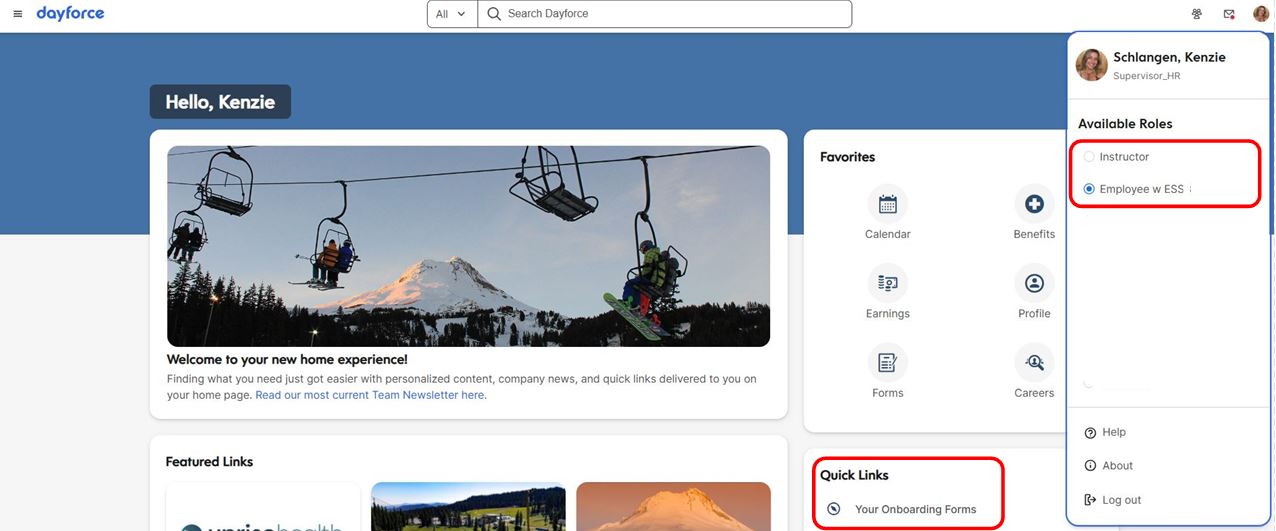
Log into dayforcehcm.com (not the mobile app), and select your Employee w ESS or Instructor role*.
*If you do not see and Employee or Instructor role option, select your Onboarding role. You will then need to look for ‘Getting Started’ to access your Onboarding forms.
From your Dayforce homepage, look for the ‘Your Onboarding Forms’ link (see below)
Team members will need to complete all assigned Onboarding forms, including pg. 1 of the I-9 verification (if new hire).
Click to enlarge
Pt. 2 - eLoomi
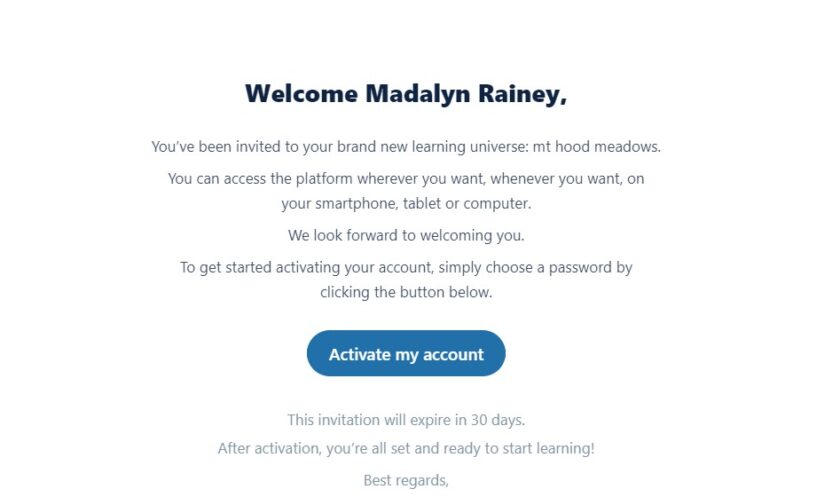
Active team members will receive an email from no-reply@us.eloomi.io, instructing them to activate their eLoomi account (see below). Once team members activate their account, they will need to complete the Onboarding 24/25 Learning Plan.